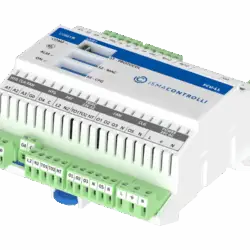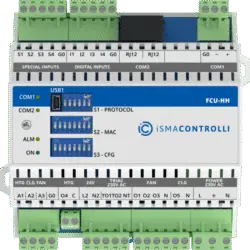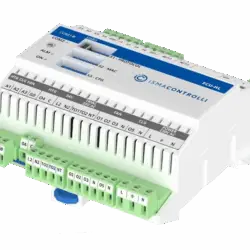
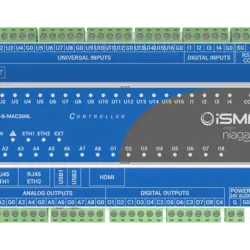
iSMA-B-MAC36NL-1250
£2,674.00
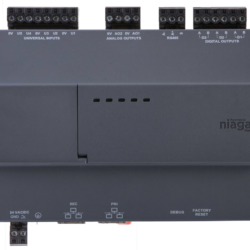
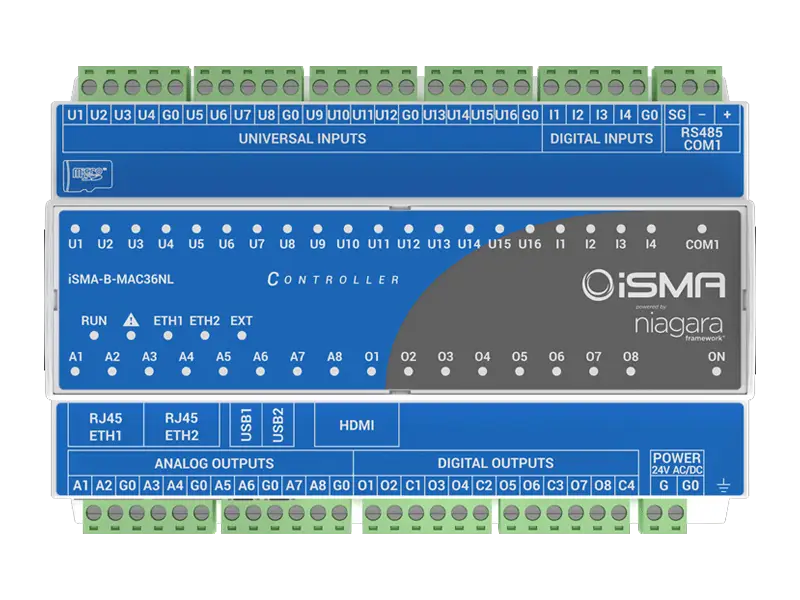
iSMA-B-MAC36NL is a compact Master Application Controller with built-in different types of I/O and operating in the Niagara Framework environment. Using the specific local I/O set 16x UI, 8x AO, 4x DI and 8x DO allows the use of the device in different applications. The controller provides control, data logging, alarming, scheduling, integration and visualisation.
⚡ Electrical Calculator
🔌 Cable Size Reference
🌬 Unit Converter
🔋 Transformer VA & MCB Calculator
📊 Reference Guide
| Current (A) | Cable Size (mm²) |
|---|---|
| 6 | 1 |
| 6-12 | 1.5 |
| 12-25 | 2.5 |
| 25-32 | 4 |
| 32-40 | 6 |
| 40-64 | 10 |
| You must consider Ambient Temperature, Location and Thermal insulation in contact with cable. | |
Description
iSMA-B-MAC36NL is a compact Master Application Controller with built-in different types of I/O and operating in the Niagara Framework environment.
Using the specific local I/O set: 16x UI, 8x AO, 4x DI, and 8x DO allows the device to be used in different applications. The controller provides control, data logging, alarming, scheduling, integration and visualisation.
Point options available: 50 | 100 | 150 | 250 | 300 | 500 | 1250
Product Description
iSMA-B-MAC36NL is a combination of 36 I/Os and up to 2 isolated RS-485 ports, with selectable biasing and termination for serial communication with various protocols, such as Modbus RTU or BACnet MSTP.
Two fully addressable Fast Ethernet Ports with many protocols supported, like BACnet IP, Modbus TCP, LON IP, M-Bus IP, etc. ISMA-B-MAC36NL offers endless integration possibilities with systems such as HVAC, access control, lighting, CCTV, and more, thanks to the Niagara Framework. Using the specific local I/O set: 16x UI, 8x AO, 4x DI, and 8x DO allows the device to be used in different applications. Both optoisolated RS-485 ports can support up to 128 devices across Modbus RTU, ASCII, and BACnet MS/TP protocols.
Inputs & Outputs
- 16x Universal Inputs (16UI)
- 4x Digital Inputs (4DI)
- 8x Analogue Outputs (8AO)
- 8x Digital Outputs (8DO)
Power supply
- 24 V AC/DC
Housing
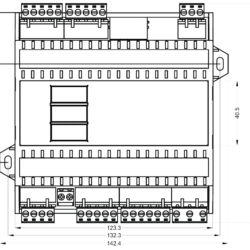
- Dimensions: 160x110x62 mm.
- Construction: UL-approved, self-extinguishing plastic (PC/ABS)
- DIN rail mounting DIN (DIN EN 50022 norm)
- Cooling: internal air circulation
Communication
- RS-485 half-duplex, opto-isolated
- Baud rate from 2400 to 115200
- 2x Fast Ethernet (independent)
- 2x USB (1x OTG, 1x Host)
- HDMI type A (standard)
- Micro SD card slot
- Modbus RTU/ASCII/IP, BACnet MSTP/IP, oBIX, SNMP, LON/IP, KNX/IP
- Second RS-485 (option)
Platform
- Multicore Cortex-A Series ARM Processor
- 1GB DDR3 SDRAM
- Removable micro-SD card – 4 GB (2 GB system reserved / 2 GB user storage)
iSMA-B-MAC36NL_Manual
iSMA-B-MAC36NL_Installation_instruction
iSMA-B-MAC36NL_Datasheet2
Moreover, two other hardware versions of the controller are available, featuring a second RS-485 port and M-Bus interface.
The Niagara versions available for this controller in the latest Installer version:
- Niagara 4.4.73 (not recommended)
- Niagara 4.4.92 (not recommended)
- Niagara 4.6.96.28 (Use the installer v1.9)
- Niagara 4.7.109.20 (Use the installer v1.9)
- Niagara 4.8.0.110 (Use the installer v1.9)
- Niagara 4.9.0.198 (Use the installer v1.4)
- Niagara 4.9.1.30 (Use the installer v1.9)
- Niagara 4.10.0.154(Use the installer v1.5)
- Niagara 4.10.1.36(Use the installer v1.7)
- Niagara 4.10.3.20 (Use the installer v1.9)
- Niagara 4.11.1.16 (Use the installer v1.9)
- Niagara 4.12.0.156 (Use the installer v1.8)
- Niagara 4.12.2.16 (Use the installer v1.9)
- Niagara 4.10.7.42.1
- Niagara 4.10.9.14.1
- Niagara 4.13.2.18
- Niagara 4.14.0.162
- Niagara 4.14.2.12
- Niagara 4.15.1.16
- Niagara 4.15.2.38
What is the device’s default IP address?
The default IP is 192.168.1.123.
What Niagara version is needed to connect to this controller?
At the moment, the default Niagara version is N4.4 (4.4.73.24).
What should I do if I need to use Niagara 4.4.92.2?
To install DIST, you can either copy the DIST FILES to your
%HOMEPATH%Niagara4.4swinbox folder and use the commissioning wizard, or use the PlatformDistribution File Installer, choose the file and install.
What should I do if I need to use Niagara 4.6, 4.7 or 4.8?
Please download the latest update file into the zipfile, which contains the DIST files for versions 4.6, 4.7 and 4.8. You will find a file named iSMA_MAC36_files_installer_v1.0.1152.bat; this will copy all the DIST files into the relevant folders for you. After this procedure, you must restart the Workplace and commission your MAC36NL with the 4.6, 4.7 or 4.8 version.
If you need to upgrade to 4.8 and the controller is already running on a lower version (4.4, 4.6, or 4.7), the first step you will need to do is to clean the controller by installing the CleanDist file using the DistributionFileInstaller from the controller’s platform, and after that, commission the MAC36NL controller with 4.8.
What improvements for the MAC36NL with Niagara 4.6 and 4.7?
With the release of N4.6 and N4.7 for the MAC36NL, you have some new features:
– BACnet MSTP
-HDMI
-Data Recovery Service -Web Service Port Fix
What are the default platform Credentials?
The default credentials are the same as for all the Tridium controllers:
User: tridium
Password:niagara
What communication networks are available?
In this stage, the Networks that work are:
– Modbus RS-485
– Modbus TCP
– BACnet TCP
– BACnet MSTP is available for versions N4.6 and N4.7.
– Mbus TCP
– Niagara Network
What features are implemented into this controller compared to the Tridium Jace?
The iSMA has the same features as a Tridium N4 controller:
-Alarm
-Histories
-PX pages (web User Interface pages), HTML 5 web viewing
-Communication with Niagara controllers and Supervisors through the Niagara Network
When commissioning, I see this message: There is no Core software found that can be installed. What should I do?
The core software is installed from the factory for version 4.4.73; you just need to press Next.
After using the commissioning wizard to install the Station and modules, I see errors in the Application Directory regarding the Web Server, and I cannot access the controller on the webpage. How do I resolve that error and access the controller through the web page?
At this stage, the Web server uses a TCP port above 1024, so you will need to change the HTTP and HTTPS ports to be above 1024 (e.g., HTTP port 8080, HTTPS port 8443). After setting this up, please restart the station. This issue was resolved in N4.6 and N4.7 releases.
How do the Local IOs work?
The Local IO driver is still at an early stage, and you will need to download the Jar file. Put it in the Modules folder, then restart the Workbench. Go and find the iSMA IO in the Palette.
In the Drivers, add the iSMA_IO Network from the iSMA_IO Palette; this opens the Property Sheet for the Drivers to see the recently added Network. Under it, add the Local IO Device, and under that, add the points from the palette.
How do I change the Universal Input type?
Open the property sheet of the UI, and you will see the Input type property; by default, it is set to Voltage.
How do I change the Analogue Output type?
Open the AO’s property sheet, and you will see the Output type property; by default, it is set to Voltage.
How can I use the HDMI function?
After you have commissioned the controller on your N4.6 or N4.7 and installed the iSMA_HDMI jar file, copy the HDMI service from the iSMA_HDMI palette to the Service folder. Then go to the WEB service and activate the HTTP port and disable HTTPS Only. After you make those settings, please reboot the controller.
Additional information
| Dimensions | 8.6 × 8.6 × 1.45 cm |
|---|---|
| Colour |
TP-DISP-W – White, TP-DISP-B – Black |